
Autoflux is Qvista's no-code visual workflow automation engine that enables you to design, connect, and automate business processes without writing code. Using the DI-AIA framework, you can build everything from simple notifications to complex, multi-step workflows that connect multiple systems.
Whether you're synchronizing data, routing approvals, or integrating AI services, Autoflux helps streamline operations through an intuitive visual workflow builder.
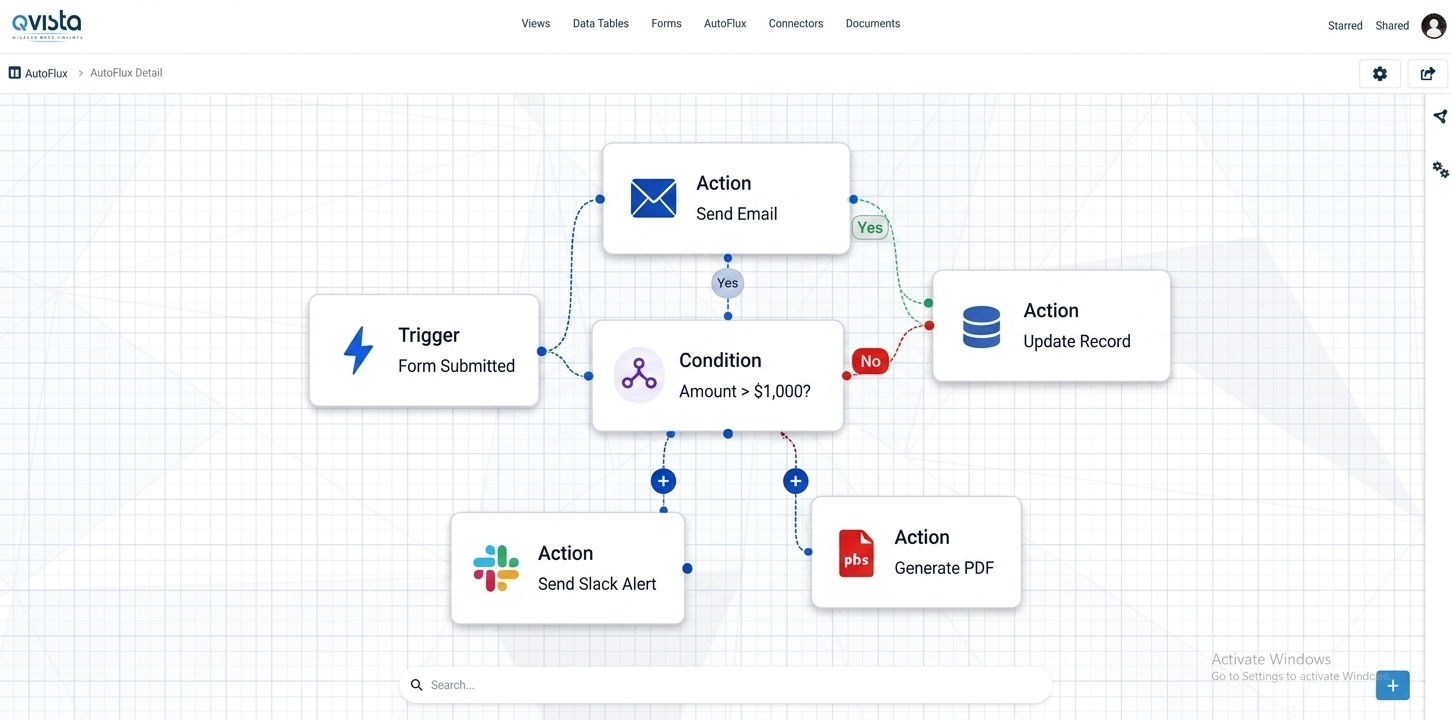
Autoflux lets you visually design workflows that connect data, services, and business processes.
Start your workflow when an event, schedule, webhook, form submission, or DataTable change occurs.
Perform tasks like sending emails, calling APIs, or updating DataTables.
Apply logic to determine what should happen next.
Create different paths within your workflow.
Start workflows the way that fits your business.
Run workflows at fixed intervals, specific times, or using custom cron expressions.
Trigger on DataTable changes, form submissions, webhooks, or file uploads.
Start workflows on demand or combine triggers with approval steps.
Connect Autoflux to the tools you already use.
Create reliable workflows in just a few simple steps.
Select a schedule, event, webhook, form submission, or DataTable change.
Configure the tasks your workflow should perform.
Use conditions or branches to control the workflow path.
Test with sample data, then activate your workflow when ready.
Monitor every run, handle failures gracefully, and keep your workflows running smoothly.
| Run ID | Status | Started At | Duration |
|---|---|---|---|
| #1247 | ✓ Success | May 20, 2024 10:01 AM | 12.4s |
| #1246 | ✓ Success | May 20, 2024 09:45 AM | 9.8s |
| #1245 | ✕ Failed | May 20, 2024 09:32 AM | 8.2s |
| #1244 | ✓ Success | May 20, 2024 09:10 AM | 6.7s |
Retry failed steps automatically with exponential backoff.
Define fallback steps to run when something goes wrong.
See step-by-step logs, input/output data, errors, duration, and status.
Autoflux works with the other Qvista capabilities to turn data and events into automated actions.
Explore the Qvista documentation to learn how to build workflows, configure triggers, connect integrations, and monitor workflow runs.