
Qvista Forms provide a no-code way to collect structured information from customers, employees, partners, or internal teams. Build customizable forms with an intuitive drag-and-drop builder, capture responses effortlessly, and automatically route submissions into DataTables, Views, and Autoflux workflows.
Whether you're collecting registrations, surveys, applications, feedback, or internal requests, Qvista Forms simplifies data collection from start to finish.
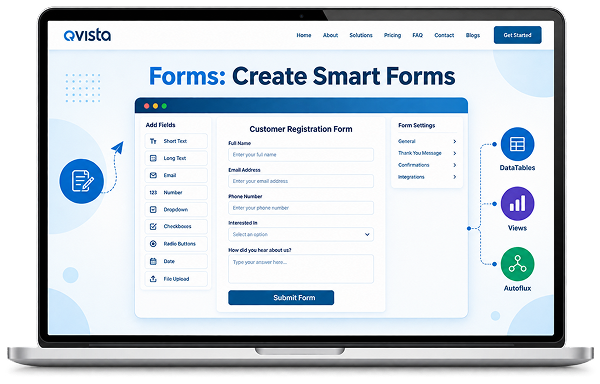
Create forms visually, collect data, and turn every submission into action.
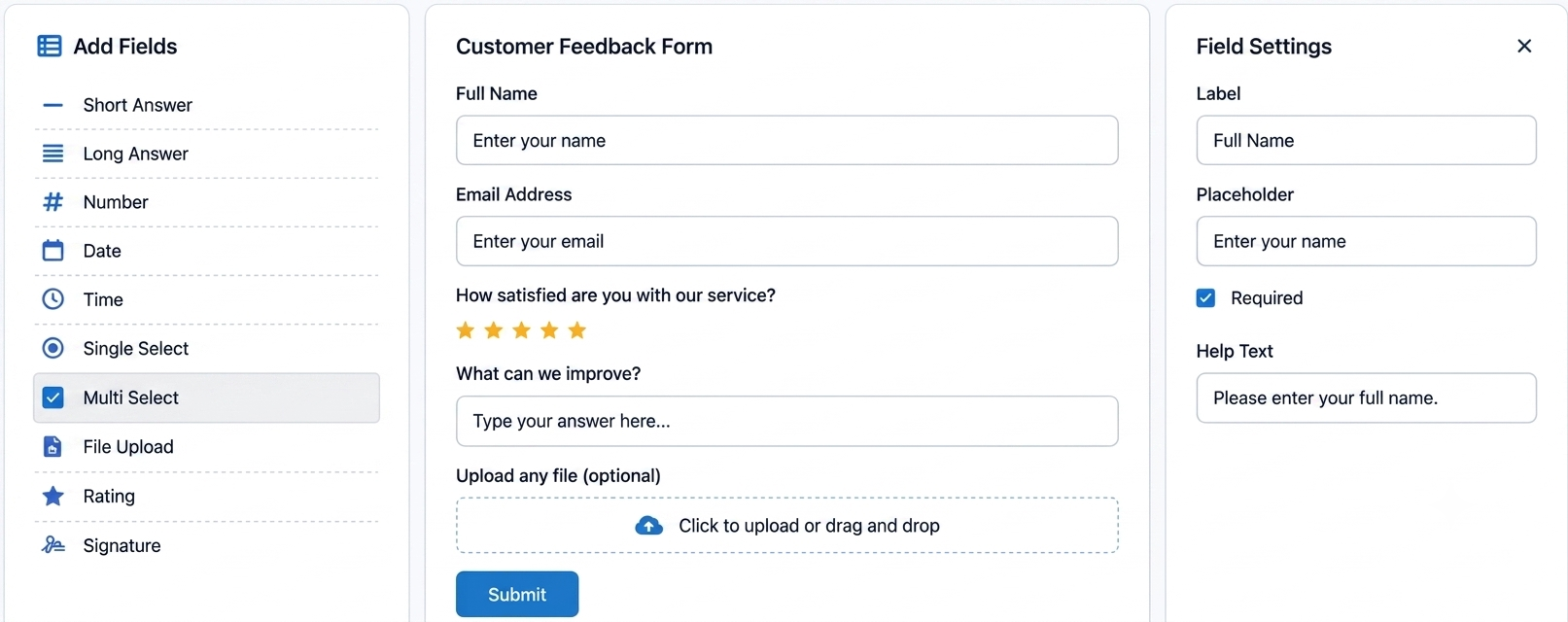
Add the fields you need, configure their settings, and create a form that fits the information you want to collect.
Short answer and long answer fields for collecting written information.
Capture numerical values and specific dates or times.
Let users choose one or multiple options from predefined choices.
A simple workflow to build, publish, and collect data.
Define your form name, description, and where responses should be stored.
Add fields using the drag-and-drop builder and configure labels, validation, help text, and required fields.
Publish your form and share it through a public link, embed, or authenticated portal.
Every submission is written to the configured DataTable and can trigger an Autoflux workflow.
QVista Forms go beyond simply collecting information. Every submission becomes usable data that can flow directly into your broader QVista ecosystem, helping you turn responses into meaningful business actions.
Store submissions in DataTables, transform and visualize the information through Views, and trigger Autoflux workflows automatically when new responses arrive.
This allows your teams to move seamlessly from data collection to organization, visualization, and automation without manually moving information between tools.
Whether you're collecting customer inquiries, internal requests, registrations, feedback, or operational data, QVista Forms helps ensure every response can be put to work where it matters most. Collect it once. Organize it. Visualize it. Automate what comes next.
Collect once. Use everywhere. →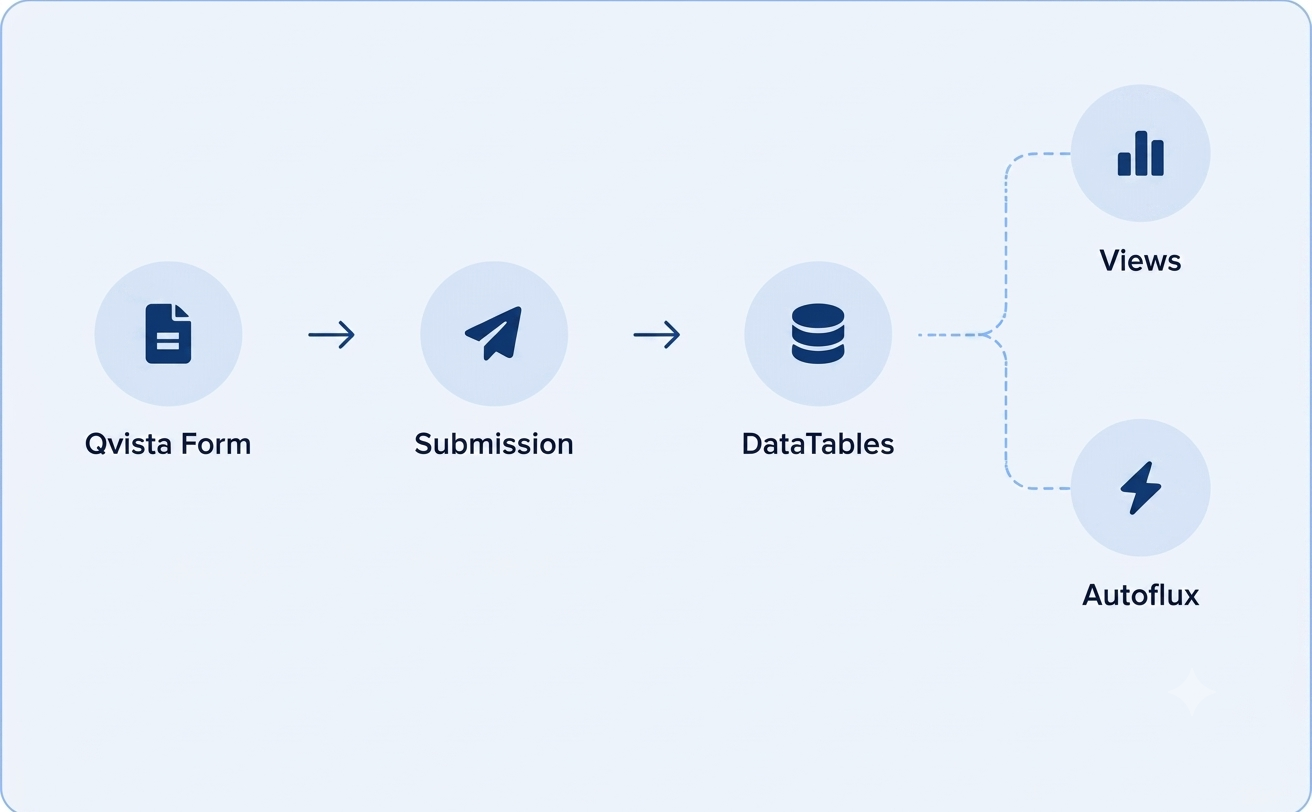
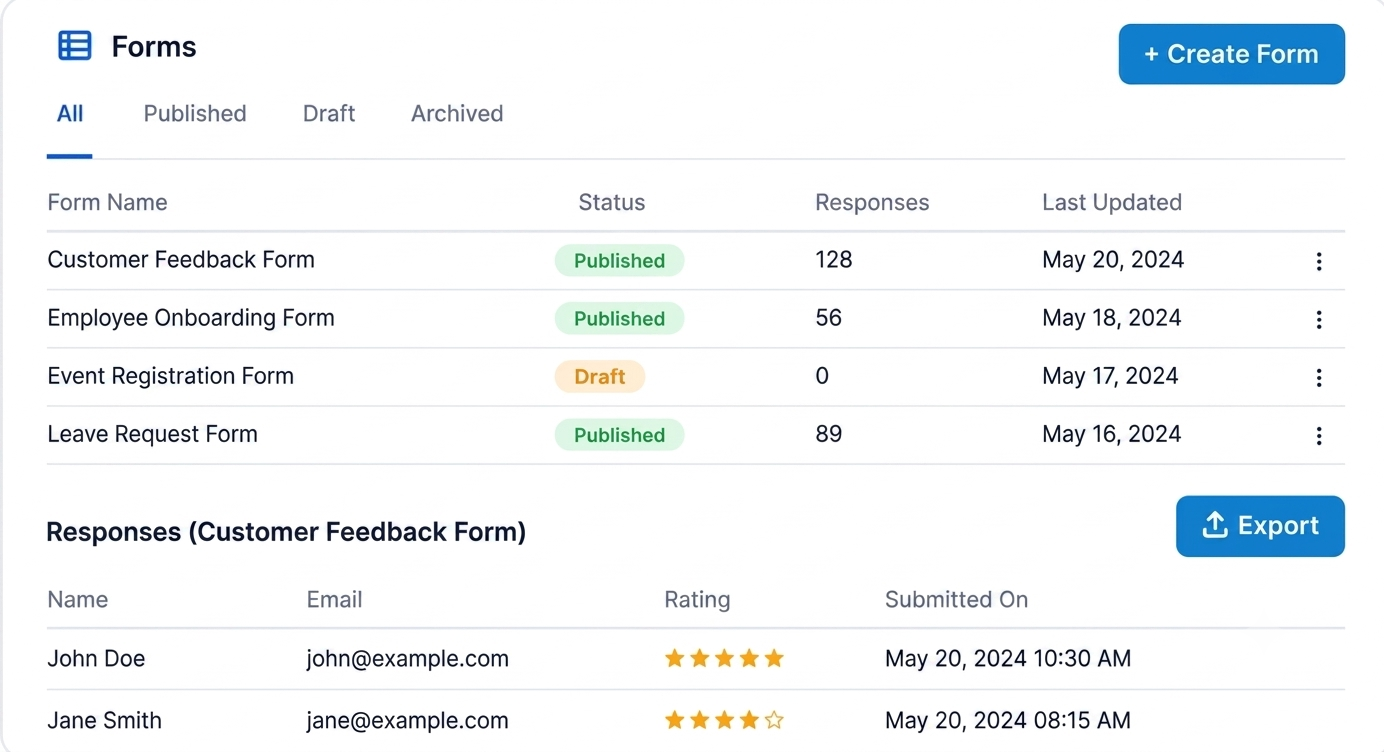
Once your forms are live, Qvista gives you a centralized place to manage them, review responses, update fields, and control how they are shared.
Modify fields, labels, or validation rules and republish your form.
View submissions with timestamps and quickly search or filter individual entries.
Export form responses as CSV or Excel files.
Archive forms to stop accepting submissions while preserving history, or permanently delete them when they are no longer needed.
Collect structured information for registrations and sign-ups.
Gather responses and structured feedback through customizable forms.
Collect application information in a consistent and organized format.
Make it easy for users or customers to share feedback and suggestions.
Collect structured requests from employees and internal teams.
Explore the Qvista documentation to learn how to create, customize, publish, share, and manage forms.